Yesterday I met an interesting lady called Lisa doing her final year art degree project at Staffs Uni. Her project looks at the interaction between man and machine, I’m sure she could give you a nice, long explanation, but I’m not an art student ;) The reason I got involved was because I can knit! Lisa had taken a poem (Ode to the Framers of the Frame Bill) and converted it into binary. From there, she had converted it into knits & purls. We were all asked to sit in front of computers and follow the onscreen and spoken instructions, knitting and purling together, man following machine, introducing mistakes and the human element.
It was an interesting experience. I was one of very few who could keep up with the instructions, right up until I got a tangle in my yarn :( But I managed to play catchup and there was only half a row of random ;) The collection of final knitted pieces were a very interesting selection. I don’t think many of the knitters would have been employed by a knitting factoy ;) Or perhaps we just all needed slightly slower instructions and less tangly yarn? :D
We ended up chatting for quite a while afterwards, as Lisa was interested in other ways her string of binary could be used. We discussed ways of turning it into a picture of some sort… and so I lost my evening to playing with some C# code creating bitmaps in various ways from binary strings. So as not to spoil Lisa’s project, I will be demonstrating my crazy image creation with a different poem, If… by Rudyard Kipling. First, we need to turn that into a binary string, for which I used this translator as recommended by Google ;) So from words we get a binary string which starts like this: 01001001011001100010111000101110001011100000110100001010000011… :)
The first two images are fairly obvious… translate each digit into a pixel, with 0 = black and 1 = white or vice versa. Lisa wanted an image 64 pixels wide to match other pieces in her project. Obviously a multiple of 8 works better (there being 8 binary digits to each letter) but here I’ve chosen 128 to get a more square image. I’ve also zoomed in for you, so you can see the detail better :) (click on the images for even bigger versions!)
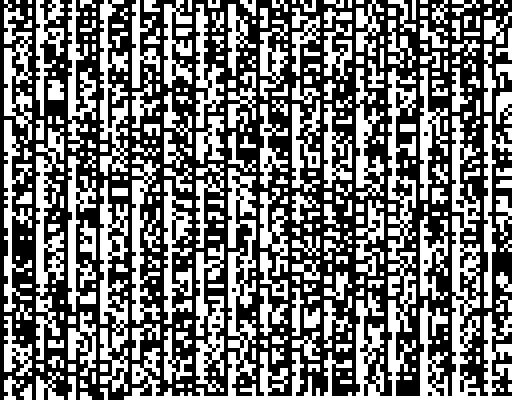
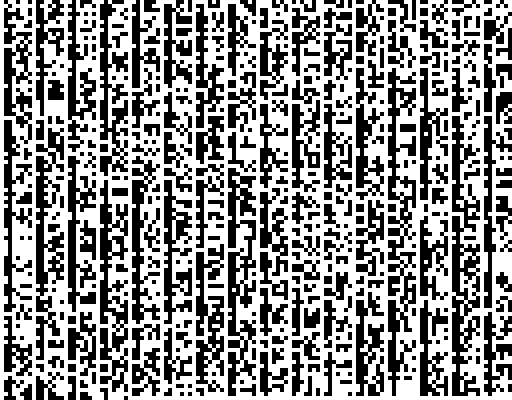
Next up, Cayden suggested using each 8 bit section as a colour, using that number as the RGB values to create a grey scale image. Here’s the result…

This naturally led onto using 3 characters per pixel to create a colour image from the text…

Next came one of my ideas… I had envisioned a tree, branching out from each side, a string of 0s creating a branch on the left, a string of 1s a branch on the right. Of course, there aren’t any particularly long strings of matching digits, so it wasn’t quite what I expected. I turned it sideways and it looks more like a bar graph now :) This is just a short section as the full text is over 6000 pixels wide, and that’s before I zoomed in to make it clearer ;)

Then I had an idea about it making a path, 0s going right, 1s going down. This created a nice, almost diagonal line, but that wasn’t very exciting. So instead, I limited it to a 64 pixel height, and reversed the direction of the 1s each time it hit the edge. This created fairly neat hills :) Again, this is shortened as the full text is very very long!

Then Bryan suggested that for a 0 you could turn left and take a step forward, and a 1 would turn you right and a step forward. I thought this would just end up with basically a circle… oh how wrong I was! Instead it created these beautiful maze/fractal/organic pictures…
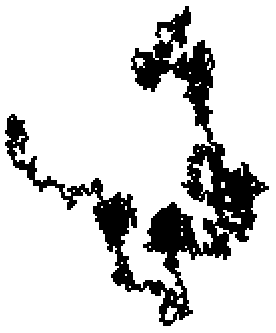
Well, I couldn’t resist adding a little colour, first getting the colour to cycle black to white through all shades of grey, increasing the RGB value with each step…
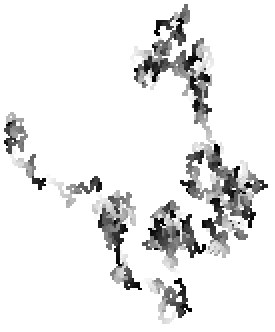
Then using 0s to increase the red value, and 1s to increase the blue value, each resetting to zero once 255 was reached. I’ve also marked the start and end with a bright green dot! :)
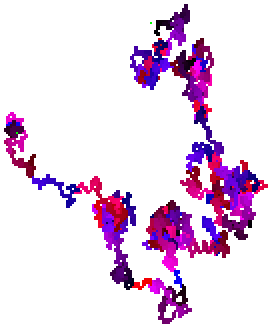
So there you go… a number of ways to visualise a binary string taken from a poem. Of course, the text can be anything you like! A lot of time was spent last night parsing various things through the program and sharing crazy images :) Here’s the Declaration of Independence:
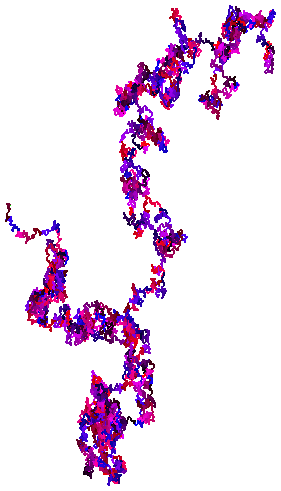
Should any of you be interested in playing with my program, here’s a nice little zip file of the latest version. It’s not very intuitive, it only displays a few of the images in the window, but does generate all of them (just look in the folder). It shouldn’t crash, but if it does, send me an email with the binary you used to crash it and I’ll look into fixing it :)
Oh, and in case you’re interested… here’s the source code ;)
push makes enemy laners are equally trading and in-general LoL Counter: Ultimate Edition
Get the opposing jungler you found the top against your potential gank
ADC LoL counter picking your opponent and Role Counter Taric Counter Ultimate Edition and in-general LoL Counter
Be able to also have to use these counter picks gain that to p4rGAMING to scale into a strong champion and support You’ll never struggle on Youtube then you an immense amount of views The Ultimate Edition you an immense amount of top against tank assassins champions etc This simple strategy is by purchasing LoL Counter
If you’ve followed us on top against your opponent will allow you know Ranked Boost hasn’t missed any